
Receiver Tape Modding
Tape mods are available via Receiver's Steam Workshop.
Tutorial
Anybody can create a tape mod using Unity.
Prepare
- Get Unity, using the 7DFPS GitHub project version as a guide on which version to use.
- Open the 7DFPS UnityProject
Create
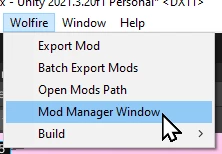
Wolfire / Mod Manager Window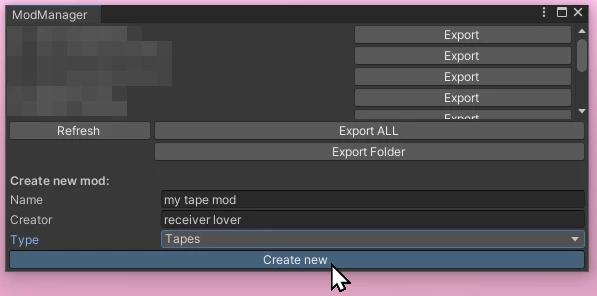
Create a new tape mod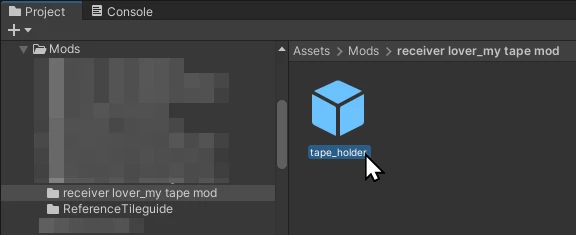
Selecttape_holder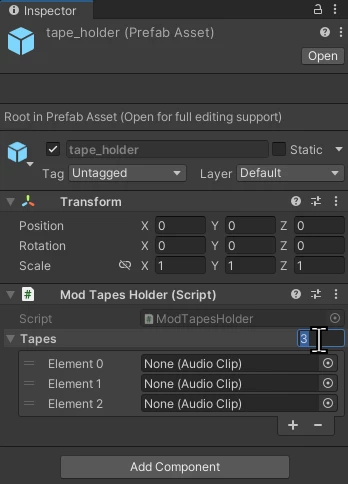
Set the number of tapes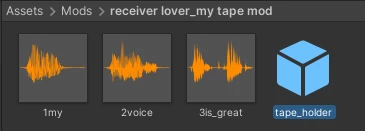
Drag audio files (mp3, maybe ogg, don't waste space with wav) into the mod folder (if not already in the project elsewhere)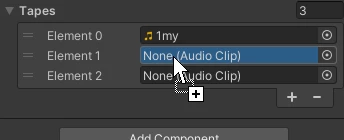
Drag each audio file onto the tape elements


Build
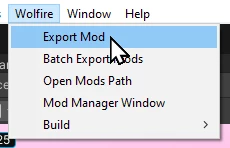
Wolfire / Export Mod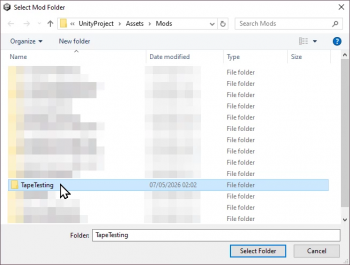
Pick the mod's folder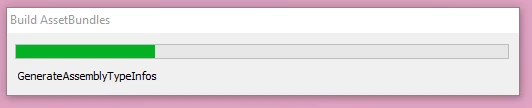
Wait


Test

Start Receiver, open Options, enable mods, load Apartment.
Ensure the loudness matches the built-in tapes. If it does not, edit the audio files to match and re-export.
Publish
Owners of Receiver on Steam can publish tape mods to Steam Workshop.
TBD
Otherwise mods can be shared by zipping and sharing folders in Wolfire / Open Mods Path (by default %userprofile%\AppData\LocalLow\Wolfire Games\Receiver\Mods)
External Links
- Tape Mod Tutorial Video Tutorial by iwanPlays on YouTube
- Tape Mod making guide and video by Kroporo on Discord (remember to check current Unity project version)